Guide
Air-Gapped Bitcoin Signing Guide: PSBT Tutorial for Maximum Security
Learn how to sign Bitcoin transactions offline using air-gapped devices and PSBT. Complete guide to secure offline Bitcoin signing for maximum protection.
What is Air-Gapped Bitcoin Signing?
Air-gapped signing is the practice of signing Bitcoin transactions on devices that have never been connected to the internet. Your private keys never touch online computers, providing maximum protection against malware, hackers, and remote attacks.
The Air-Gap Advantage
- Zero malware risk - Private keys never touch internet-connected devices
- Protection against keyloggers - No keyboard input can be captured
- Resistant to remote attacks - No network connection means no remote access
- Future-proof security - Works against any current or future online threats
Air-gapped signing uses PSBT (Partially Signed Bitcoin Transaction) files to coordinate between your online transaction preparation and offline signing. The process involves creating a transaction on an internet-connected computer, then transferring the unsigned PSBT to an air-gapped device for signing.
Understanding PSBT
PSBT (Partially Signed Bitcoin Transaction) is a Bitcoin Improvement Proposal (BIP 174) that enables secure, interoperable transaction signing across different devices and software.
How PSBT Works
Create
Build transaction on online computer
Export
Save as PSBT file
Sign
Sign on air-gapped device
Broadcast
Send signed TX to network
PSBT Benefits
- Interoperability - Works across different wallets and hardware
- Partial signing - Enables multisig and complex signing workflows
- Human readable - Can be inspected before signing
- Privacy focused - No private key data in the file
Why Air-Gapped Signing Matters
While hardware wallets provide excellent security, air-gapped signing takes protection to the next level. Here's why it's essential for serious Bitcoin holders.
Security Threats Addressed
Malware & Keyloggers
Even hardware wallets can be compromised if connected to infected computers. Air-gapped signing eliminates this risk entirely.
Supply Chain Attacks
Hardware could be compromised during manufacturing. Air-gapped signing ensures your keys never interact with potentially compromised devices.
Remote Attacks
No internet connection means no possibility of remote hacking, zero-day exploits, or network-based attacks.
Bottom line: If you have more than $10,000 in Bitcoin, air-gapped signing isn't optional—it's essential.
Top Hardware Wallets for Air-Gapped Signing
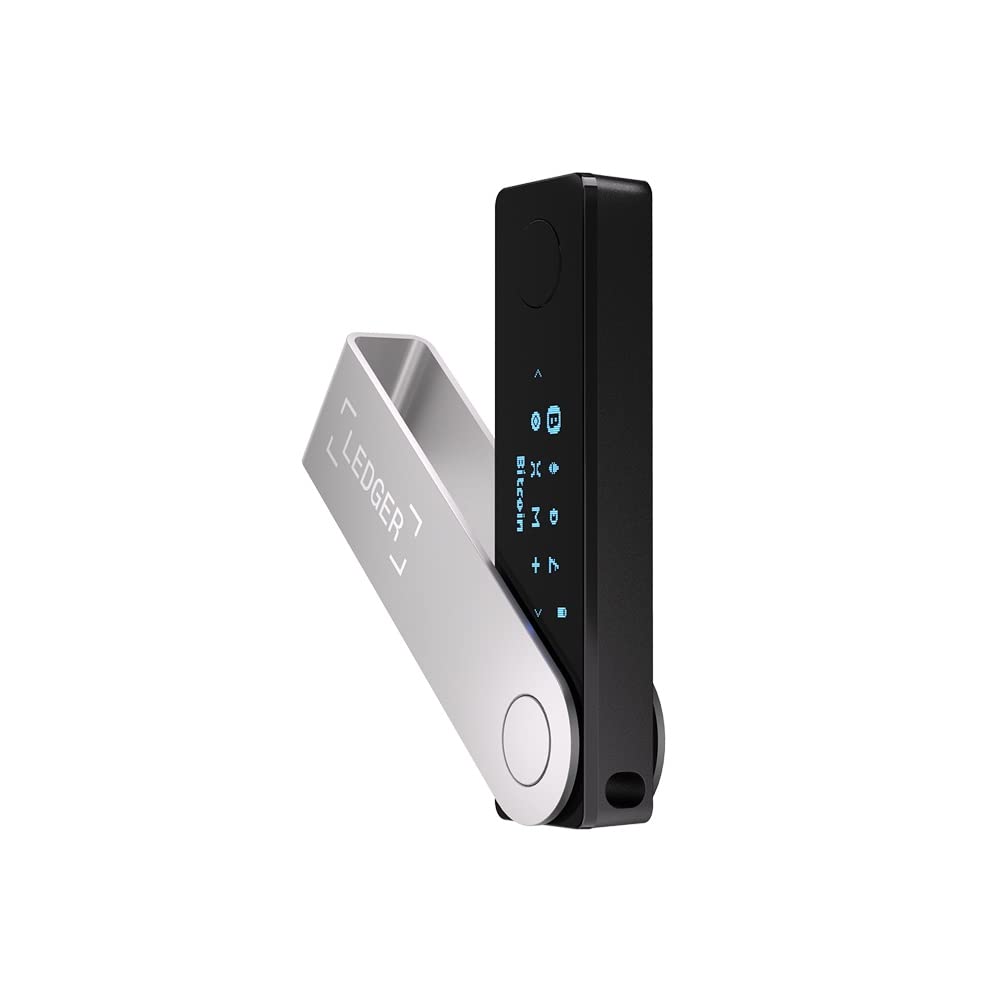
Ledger Nano X
Premium hardware wallet with Bluetooth connectivity and support for 5000+ cryptocurrencies.
Price
$1492 year warranty
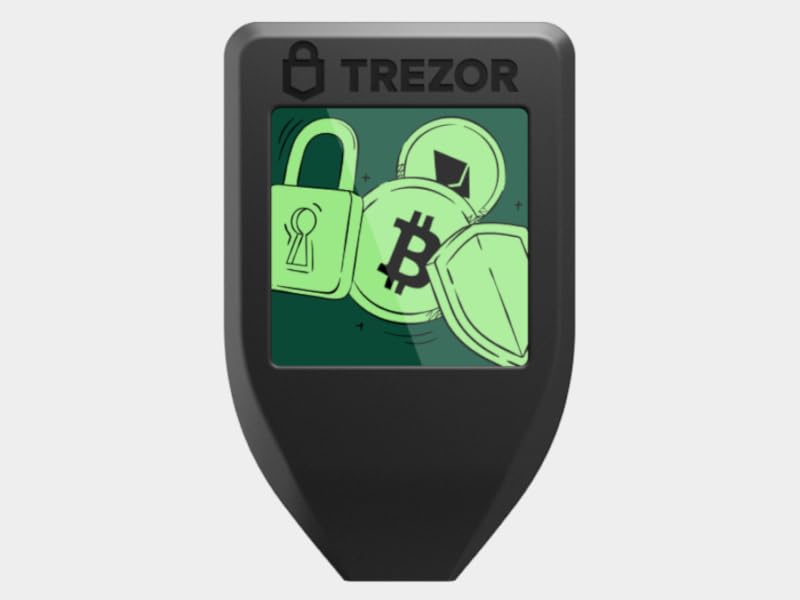
Trezor Model T
Premium open-source hardware wallet with touchscreen and Shamir backup support.
Price
$2192 year warranty
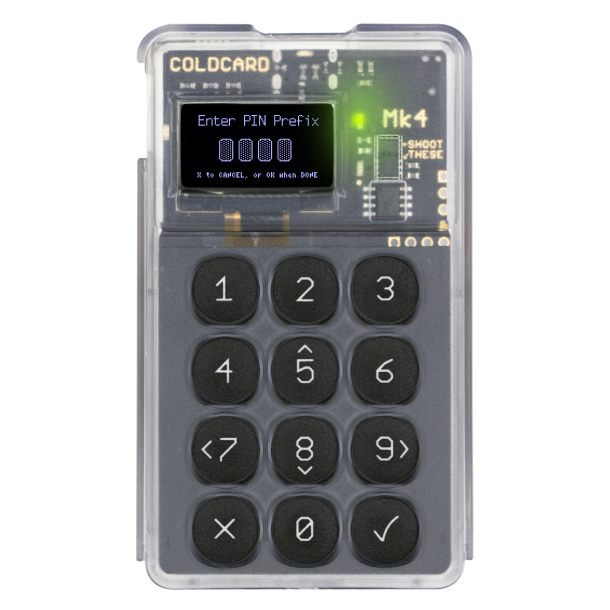
Coldcard Mk4
Bitcoin-only hardware wallet with dual secure elements and advanced air-gapped features.
Price
$1481 year warranty
Hardware Requirements
Setting up air-gapped signing requires specific hardware that supports PSBT and can operate without internet connectivity.
Essential Components
Hardware Wallet
PSBT-compatible device for offline signing
- • Coldcard Mk4
- • Ledger Nano S/X
- • Trezor Model T
- • Foundation Passport
Air-Gapped Computer
Dedicated offline computer for signing
- • Never connected to internet
- • Clean OS installation
- • MicroSD card reader
- • USB ports for hardware wallet
Optional but Recommended
- MicroSD cards - For transferring PSBT files securely
- QR code scanner - Alternative to SD cards for some wallets
- Printer - For printing transaction details for verification
Setting Up Air-Gapped Signing
Proper setup is crucial for air-gapped signing security. Follow these steps carefully to ensure your offline environment remains secure.
Step-by-Step Setup Guide
- Prepare air-gapped computer
Install Linux on a dedicated computer that has never been online. Use Tails OS or a clean Ubuntu installation.
- Install signing software
Install wallet software that supports PSBT signing. For hardware wallets, use the manufacturer's offline tools.
- Set up hardware wallet
Initialize your hardware wallet on the air-gapped computer. Generate and backup your seed phrase securely.
- Test the setup
Create a test PSBT with a small amount and verify the entire signing workflow works correctly.
- Establish transfer protocols
Set up secure methods for transferring PSBT files between your online and offline computers.
Critical Security Notes
- Never connect your air-gapped computer to the internet
- Only use software from official sources on the air-gapped machine
- Verify all file checksums before transferring data
- Keep detailed logs of all transactions signed offline
PSBT Signing Workflow
The PSBT workflow separates transaction creation from signing, enabling secure air-gapped operations. Here's how it works in practice.
Complete Workflow Example
Sending Bitcoin with Air-Gapped Signing
Specify recipient address and amount
Save to MicroSD card or USB drive
Verify transaction details on screen
Confirm details on hardware wallet screen
Save completed transaction to storage medium
Send signed transaction to Bitcoin network
Verification Steps
Always verify transaction details before signing:
- • Recipient address matches your intended destination
- • Amount is correct (including fees)
- • Transaction inputs come from your addresses
- • No unexpected outputs or change addresses
Software Tools & Wallets
Several software tools support PSBT and air-gapped signing. Choose based on your hardware wallet and comfort level.
Recommended Software
Sparrow Wallet
Professional Bitcoin wallet with excellent PSBT support and air-gapping features.
- • Native PSBT support
- • Hardware wallet integration
- • Transaction analysis tools
- • Free and open-source
Electrum
Lightweight wallet with strong PSBT capabilities and multisig support.
- • Fast and lightweight
- • Command-line PSBT tools
- • Hardware wallet support
- • Extensive documentation
Coldcard Tools
Official tools for Coldcard hardware wallet with advanced air-gapping features.
- • Designed for air-gapped use
- • Advanced security features
- • MicroSD card support
- • QR code integration
Security Best Practices
Air-gapped signing provides excellent security, but proper practices are essential to maintain that protection.
Operational Security
Air-Gapped OpSec Rules
- Never connect air-gapped computer to any network
- Use read-only media when possible for PSBT files
- Verify all transaction details on both online and offline devices
- Keep detailed logs of all signing operations
- Test your setup regularly with small amounts
- Use fresh MicroSD cards for each signing session
Hardware Security
- Physical security - Protect your air-gapped computer from physical access
- Backup strategy - Have redundant air-gapped setups for recovery
- Supply chain verification - Source hardware from trusted suppliers
Common Air-Gapped Signing Mistakes to Avoid
❌ Connecting Air-Gapped Computer to Internet
The entire security model depends on the computer never touching the internet. Once connected, it's compromised forever.
❌ Not Verifying Transaction Details
Always check recipient addresses, amounts, and fees on both your online computer and hardware wallet before signing.
❌ Using Infected Storage Media
Malware can persist on USB drives and SD cards. Use fresh media or properly sanitize used media.
❌ Skipping Test Transactions
Always test your air-gapped setup with small amounts before processing large transactions.
❌ Poor Physical Security
If someone gains physical access to your air-gapped computer, they can compromise your entire setup.
Frequently Asked Questions
What is air-gapped Bitcoin signing?
Air-gapped signing is a security method where private keys never touch internet-connected devices. Transactions are prepared on an online computer, then signed on an offline device using PSBT (Partially Signed Bitcoin Transaction) files.
How does PSBT work for offline Bitcoin signing?
PSBT (Partially Signed Bitcoin Transaction) is a Bitcoin standard that allows transactions to be created, partially signed, and completed across different devices or people. It enables secure air-gapped signing workflows.
Why should I use air-gapped signing for Bitcoin?
Air-gapped signing protects against malware, keyloggers, and remote attacks. Your private keys never connect to the internet, making it the most secure way to sign Bitcoin transactions.
What hardware do I need for air-gapped signing?
You need a hardware wallet that supports PSBT (most modern ones do) and an air-gapped computer or dedicated signing device. Popular options include Coldcard, Ledger, Trezor, and Passport.
Is air-gapped signing complicated?
The initial setup has a learning curve, but once configured, air-gapped signing is straightforward. It's worth the complexity for securing large Bitcoin holdings.
Checklist Drop
Get the Air-Gapped Security Checklist
Download our free checklist covering air-gapped setup, PSBT workflows, and security best practices.
We respect your privacy. Unsubscribe at any time.
Related Guides
Ready to Implement Air-Gapped Security?
Air-gapped signing with PSBT provides the highest level of Bitcoin security. Start with our recommended hardware solutions and protect your digital wealth with offline signing.